
Search these docs, or ask Revo a question — answers link the pages they came from.
AlteRead SBS Rack Reader
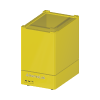 AltemisLab AlteRead SBS Rack Reader Camera reader for 2D-coded tubes in SBS racks.
The AltemisLab AlteRead SBS rack 2D barcode camera reader reads the 2D codes on the bottoms of every tube in a rack in one image. A rack goes onto the reader, a camera captures the underside, and the reader decodes each position and reports which tubes were read, which failed and which positions are empty. AltemisLab describes it as plug and play with no software required, and states it decodes and exports the data in less than 2 seconds.
The reader does its own processing and serves its own interface. AltemisLab’s quick start guide has the host connect to the reader’s LAN port — through a supplied USB-to-Ethernet adaptor — and open the reader’s home page in a web browser, where the rack format is chosen, the read is started and the results are exported to a file, to the clipboard, or by drag and drop. The same guide states the reader is compatible with all SBS-format racks in 96, 48 and 24 format, and that acoustic sample tubes need an additional licence.
Revolution drives the reader over the REST API the reader serves on port 5223, as documented in AltemisLab’s user manual. A schedule step reads the rack, checks the result, and publishes every position’s barcode and the rack’s own 2D ID to the schedule, optionally saving a CSV of the read. Nothing moves: the reader has no door or motion, so a rack is simply placed on it before the step.
At a glance
Section titled “At a glance”| Type | Camera-based 2D barcode reader for tubes in SBS-format racks |
| Rack formats | 96, 48 and 24, per AltemisLab’s quick start guide |
| Host connection | Ethernet (LAN port), per AltemisLab |
| Revolution transport | HTTP REST API on the reader, port 5223 |
| Readings | Each position’s barcode, the rack ID, read / no-read / empty positions; firmware version, internal temperature, free storage |
| Revolution control | Read rack, list the reader’s projects, read the reader’s status |
AltemisLab’s product page offers a specifications download, but no specification sheet could be retrieved from it to verify against, so this page states no specifications beyond the manufacturer statements quoted above. AltemisLab also sells a separate large-format rack reader; this driver is registered for the SBS rack reader only.
Supported methods
Section titled “Supported methods”- Read rack — run one of the reader’s projects (rack formats, such as
SBS 96) on the rack on the reader, wait for the reader to image and decode it, and publish the result. Optionally checks the rack ID against an expected value, and saves a CSV of the read - Get projects — ask the reader which projects it can run and publish their names. No rack is read
- Get reader status — ask the reader for its firmware version and system health — internal temperature in °C and free storage — and publish them. No rack is read; it is a quick way to prove from a schedule that the reader is reachable
What Read rack publishes. Every position’s barcode is published as a schedule parameter named
RackReader.Well. followed by the position — RackReader.Well.A1, RackReader.Well.A2 and so on —
and is empty where nothing was read. Alongside it the step publishes RackReader.Project,
RackReader.RackId, RackReader.ReadCount, RackReader.NoReadCount, RackReader.EmptyCount, the
comma-separated positions in RackReader.NoReadWells and RackReader.EmptyWells, and the path of
any CSV saved in RackReader.ResultsFile. Get projects publishes RackReader.Projects, and
Get reader status publishes RackReader.Version, RackReader.Temperature and
RackReader.DriveSpace.
How each position is classified. A position is read when the reader decoded its code and the code passed the reader’s validator. It is empty when the reader’s tube presence detection found no tube there. Anything else with decoding enabled is a no-read — usually frost or a damaged code, or a code the validator rejected. With the reader’s tube presence detection switched off, the reader cannot tell an empty position from a failed read, so every undecoded position counts as a no-read. Positions the reader did not decode at all are reported as not decoded, in the CSV only.
When Read rack fails the step. It fails if an expected rack ID was given and the reader decoded a different one, or none; and, unless Fail on no read is switched off, if any tube present could not be read. A wrong rack outranks no-reads. Empty positions never fail the step. In both cases the results are published first, so what was read is available to the operator and to any error handling in the schedule. If the reader decodes more than one distinct rack ID, the first is used and a warning is logged.
The results file. When a folder is named on the step or, failing that, on the device, the read
is saved there as a CSV with one row per position: rack ID, position, status (Read, NoRead,
Empty or NotDecoded) and barcode. The file is named from the rack ID — or the project, when no
rack ID was read — and the time of the read to the millisecond, so a second read of the same rack
never overwrites the first. It is written under a temporary name and then renamed, so a process
watching the folder never picks up a half-written file. The folder must be a full drive or UNC path
on the machine running Revolution, and is created if missing. If the file cannot be written, the
step fails after the read, and the read’s results are not published.
What the driver does not do
Section titled “What the driver does not do”- It cannot change the reader’s settings. Whether the rack ID is read, the tube presence mode (Off, Fast or AI), decode colours and the code validator are set once in the reader’s own web page; the API offers no way to change them.
- It does not use the reader’s targeted re-read. Each Read rack reads the whole rack.
- It declares no fixed set of locations. Any location a mover uses to place a rack on the reader is defined in the system configuration, and Revolution treats it as a plain stop on the rack’s route. The schedule must place the rack before Read rack runs.
Integration
Section titled “Integration”Revolution talks to the reader directly over HTTP — no vendor software sits in between. Every call is a GET returning JSON, and the API has no authentication. The driver sends one request at a time: AltemisLab’s manual says only one project can run at a time and a request sent during a read may be rejected. A reply the reader refuses fails the step with the reader’s own message; HTTP 409, 429 and 503 are reported as the reader probably being busy with another read, 404 as an unknown project or endpoint, and 500 as an internal or camera fault. A request that gets no answer within the configured timeout fails.
A Read rack step does not return until the reader has imaged and decoded the rack, so the request timeout has to cover a whole read, including one with AI tube detection.
Initialising the device asks the reader for its firmware version, to prove the address and network, and logs it. Uninitialising releases the connection.
In simulation, no reader is contacted. Read rack reports every position read, with a barcode
made from the position (SIMA1, SIMA2…), the rack format taken from the number in the project
name (24, 48 or 96, falling back to 96), and the expected rack ID — or SIMRACK0001 when none is
given. Get projects publishes SBS 96, SBS 48, SBS 24. These are placeholders, not reader
output. The project name and the results folder are checked in simulation too, so a step that would
fail on the real system for those reasons fails in simulation.
Prerequisites
Section titled “Prerequisites”- The reader must be on a network the Revolution host can reach, and its address known. AltemisLab’s
manual gives addresses such as
alteread-0010:5223, from the serial number on the underside, or10.10.10.1:5223. - Rack ID reading, tube presence mode and the code validator must be set in the reader’s web page before a schedule depends on them. Tube Presence Detection on the device must match that page.
- A project name on a step must be spelled exactly as the reader lists it. Get projects publishes the list.
- A rack used with Expected rack ID must carry a 2D rack ID on its base, and rack ID reading must be enabled on the reader. A rack without one can never pass that check.
Device configuration
Section titled “Device configuration”| Property | Purpose |
|---|---|
| Reader URL | The reader’s address. Defaults to http://10.10.10.1:5223. A bare host name or address is given http:// and port 5223. |
| Request Timeout (s) | How long one request may take, including a whole rack read. Defaults to 120 seconds. |
| Tube Presence Detection | Whether the reader’s tube presence mode is Fast or AI (on) or Off (off). The API does not report the mode, so it is mirrored here; with it off, every undecoded position is a no-read. Defaults to on. |
| Results Folder | Where Read rack saves a CSV of each read when the step names no folder. A full drive or UNC path; blank saves none. |
If you need more of this instrument driven from a schedule, get in touch — the driver is extended on demand.
Operations
These are available from a Run Device Operation step.
Get Projects
Asks the reader which projects (rack formats) it can read and publishes their names, comma-separated, as ${RackReader.Projects}. These are the names Read Rack accepts; no rack is read.
Get Reader Status
Asks the reader for its firmware version and system health and publishes them as ${RackReader.Version}, ${RackReader.Temperature} (degrees Celsius) and ${RackReader.DriveSpace}. A quick way to prove from a schedule that the reader is reachable; no rack is read.
Raise Error
Makes this device report a failure on demand: the step fails with an error naming the device, and the operator is offered the usual error recovery choices. No command reaches the instrument and nothing moves, and the failure is raised in simulation as well as on a real system, so this is the step to use when rehearsing how a schedule handles a device failure.
Read Rack
Reads the 2D code on the base of every tube in the rack on the reader, using one of the reader's projects (rack formats), and the rack's own 2D ID when the reader is set to read it. Each position's barcode is published as ${RackReader.Well.A1} and so on - empty where nothing was read - with the rack ID as ${RackReader.RackId}, the unread and empty positions as ${RackReader.NoReadWells} and ${RackReader.EmptyWells}, and their counts. The step fails if a tube present could not be read, unless allowed, or if the rack ID is not the one expected; what was read is published either way.
| Parameter | Type | Default | Description |
|---|---|---|---|
| Project | string | SBS 96 | Reader project to run, e.g. SBS 96. The name exactly as the reader lists it; Get Projects publishes the list, and a reader ships with SBS 96, SBS 48 and SBS 24. Whether the rack ID is required, the tube presence mode and the code validator are set in the reader's own web page, not here. |
| Expected Rack ID | string | — | Rack ID the reader must decode, or the step fails. Blank skips the check. Compared exactly with the rack ID the reader decoded, to prove the rack on the reader is the one the schedule expects - for example a barcode published by an earlier step. Racks with no 2D rack ID on the base (early Matrix, Micronic, Remp, Abgene) can never pass this check. |
| Fail On No Read | bool | true | Fail the step if a tube is present but its code could not be decoded. A no-read is a position where a tube was found but its code could not be decoded - usually frost or a damaged code - or the code was rejected by the reader's validator. Empty positions never fail the step. With the reader's tube presence detection Off, every undecoded position counts as a no-read, empty or not. |
| Results Folder | string | — | Folder to save a CSV of the read in. Blank uses the device's Results Folder. A full drive or UNC path on the machine running Revolution, created if it is missing. The CSV has one row per position with the rack ID, well, status (Read, NoRead, Empty or NotDecoded) and barcode, and is named from the rack ID and the time of the read, so an earlier read is never overwritten. Blank here and on the device saves no file. |