
Search these docs, or ask Revo a question — answers link the pages they came from.
AltemisLab Thawing Station
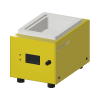 AltemisLab AltemisLab Thawing Station SBS tube rack thawer that pulls air through the rack — cycles driven from a schedule.
The AltemisLab thawing station thaws the frozen tubes in an SBS-footprint rack by moving air through it. The rack sits on the station and a fan draws air past the tubes. AltemisLab describes the design as patent pending: it uses air suction through the rack instead of heated air, which AltemisLab says avoids the uneven flow and temperature of traditional heated air systems. Fan speed is adjustable, and AltemisLab states the station offers remote API connectivity for automated workflows.
AltemisLab’s product page includes one worked example: thawing complete after approximately 12 minutes, and tube content at a lab ambient temperature of 20 °C in less than 20 minutes. It gives no tube type, fill volume or starting temperature for that example, so treat it as an illustration rather than a figure to plan cycle times around.
Revolution drives the station over the AT command API it exposes on its USB virtual COM port. A schedule can run a complete timed cycle and wait for it, or start a cycle and collect it later, and can set the fan speed and heater level and read the station’s state and air temperatures. The station has a dial of its own, and an operator can start or stop a cycle there; the driver accounts for that.
At a glance
Section titled “At a glance”| Type | Tube rack thawing station, air drawn through the rack |
| Labware | One SBS-footprint tube rack |
| Connection | USB virtual COM port, AT command API — 115200 8N1 by default, no flow control |
| Cycle length | 1–60 minutes per cycle, as the command API accepts |
| Fan speed | 0–100% |
| Heater level | 0 (all off) to 4 |
| Readings | Cycle state, firmware version, ambient and exhaust air temperature (°C), fan speed |
| Plate locations | One |
| Revolution control | Thaw and wait, start, wait for completion, stop, set fan speed, set heater level, read status |
AltemisLab publishes no specification sheet for the thawing station — no dimensions, power, airflow or temperature figures — so this page states no specifications. The ranges in the table above are the limits of the command API the driver speaks, not manufacturer performance figures.
Supported methods
Section titled “Supported methods”Running a cycle
Section titled “Running a cycle”- Thaw — start a cycle with a duration, fan speed and heater level, and wait until the station reports the cycle complete. Publishes the final status and the ambient and exhaust temperatures to the schedule
- Start thawing — start a cycle with the same three settings and return straight away, so the schedule can do other work while the rack thaws
- Wait for thawing complete — wait, up to a timeout of 1 to 120 minutes (65 by default), for a cycle started earlier to report complete. Publishes the same values as Thaw
- Stop thawing — stop the running cycle
Adjusting a cycle
Section titled “Adjusting a cycle”- Set fan speed — set the airflow, 0 to 100%
- Set heater level — set the heater level, 0 to 4. Level 0 switches every heater off; 1 to 4 enables that many heaters. A non-zero level is accepted only while a cycle is running; from idle the step fails rather than switch heaters on with the fan possibly off. Level 0 is always accepted
Reading the station
Section titled “Reading the station”- Read status — read the cycle state, firmware version, ambient and exhaust air temperatures and current fan speed, and publish them to the schedule
Duration defaults to 30 minutes, fan speed to 50% and heater level to 0. Every value is checked against its range before anything is sent, so an out-of-range step fails without touching the instrument.
The exhaust temperature is the reading that tracks the rack. The station reports two air
temperatures: ambient, and exhaust — the air after it has passed the tubes. As the rack thaws the
exhaust air climbs back towards ambient, so a schedule that wants more than a fixed cycle time can
read it with Read status. The values are published as the schedule parameters
ThawingStationStatus, ThawingStationFirmwareVersion, ThawingStationAmbientTemperature,
ThawingStationExhaustTemperature and ThawingStationFanSpeed; Thaw and Wait for thawing
complete publish the first, third and fourth of these.
Starting a cycle switches every heater on. The station turns on all of its heater relays, and sets the fan to 50%, whenever a cycle starts. The driver therefore applies the requested heater level and fan speed immediately after the start, in that order. If either is refused, it stops the cycle rather than leave it running with all heaters on, and the step fails. For a short moment at the start of every cycle, the heaters are on regardless of the level requested.
How Thaw and Start thawing handle a refused start. If the station refuses the start — for example because a cycle is already running — nothing is changed: a cycle already running may be one an operator started at the dial, so the driver leaves it alone and the step fails. If the start command goes unanswered, the driver cannot tell whether the cycle started, so it sends a stop to be safe before failing the step.
How waiting works. While waiting, the driver reads the station’s state every 5 seconds until the cycle reports complete. It stops the cycle, best effort, and fails the step if:
- the schedule is aborted;
- the cycle has not completed within the timeout. For Thaw the timeout is the cycle duration plus a 5-minute grace period; for Wait for thawing complete it is the timeout parameter;
- the state cannot be read three times in a row — a single failed read is retried;
- the station reports a state the driver does not recognise;
- for Thaw only, the station has not reported the cycle as running within 30 seconds of the start.
If the cycle returns to idle without completing — stopped at the dial or by another client — the step fails without sending anything. If a failed temperature read follows a completed cycle, the step still succeeds; only the temperature outputs are missing.
Wait for thawing complete trusts what it finds. It fails straight away if the station is idle, because no cycle is running. But the station appears to keep reporting a cycle as complete until the next one starts, so if the previous cycle has already finished, the step succeeds immediately — including when that cycle was not the one the schedule meant. Pair it with a Start thawing in the same schedule.
What the driver does not do
Section titled “What the driver does not do”- It exposes no operation for the temperature sensor offsets. The command API has one, and the driver can read and write them internally, but a schedule cannot.
- It does not implement the command API’s firmware update command, which puts the instrument into its bootloader and out of service until it is re-flashed.
- It does not stop a cycle when the device is uninitialised. Closing the port leaves any running cycle to the station’s own timer.
- It does not lock the location during a cycle. Revolution will let a mover pick the rack while the station is still thawing it, so the schedule must not route a pick before the cycle is complete or stopped.
Integration
Section titled “Integration”Revolution talks to the station directly over its USB virtual COM port — no vendor software sits in
between and there is no PC-side service to install. Each command is a line of ASCII text; the
station replies with any data lines followed by OK, or with a message followed by ERROR, and
the driver treats an ERROR as a failed step carrying the station’s own message. A command that gets
no complete reply within 3 seconds fails.
The station enumerates as a USB CDC device, so the serial line settings are largely nominal, but the driver still applies them. The defaults — 115200 baud, 8 data bits, no parity, one stop bit, no flow control — are taken from the way AltemisLab’s own web connection page opens the port, not from AltemisLab’s documents; the driver also matches that page in raising DTR and leaving RTS off.
Initialising the device opens the port, checks the station answers, and reads its state. If a cycle is already running, the driver logs a warning and leaves it alone — it may be one an operator started at the dial. Uninitialising closes the port.
The device presents one location, where the rack sits on the station.
In simulation, no instrument is contacted. The operations that publish readings publish placeholder values, so that schedule steps reading the outputs find one: a completed cycle with ambient 21.0 °C and exhaust 20.0 °C, and an idle station at 21.0 °C. These are not instrument figures.
Prerequisites
Section titled “Prerequisites”- The station must be connected by USB to the Revolution host, and its COM port known, before the device is initialised.
- Only one program can hold the COM port. AltemisLab’s own web connection page and Revolution cannot use the same port at the same time.
- If the station is fitted without heaters, leave the heater level at 0. AltemisLab’s product page presents the station as needing no added heat; the command API’s heater control is there for stations that have them, and the driver cannot tell which yours is.
- A schedule that uses Start thawing must follow it with Wait for thawing complete before the rack is picked.
Device configuration
Section titled “Device configuration”| Property | Purpose |
|---|---|
| COM Port Settings | The serial port the station enumerates as, with its line settings. Defaults to COM1 at 115200 baud, 8 data bits, no parity, one stop bit, no flow control. |
If you need more of this instrument driven from a schedule, get in touch — the driver is extended on demand.
Operations
These are available from a Run Device Operation step.
Raise Error
Makes this device report a failure on demand: the step fails with an error naming the device, and the operator is offered the usual error recovery choices. No command reaches the instrument and nothing moves, and the failure is raised in simulation as well as on a real system, so this is the step to use when rehearsing how a schedule handles a device failure.
Read Status
Reads the station's current state, firmware version, ambient and exhaust temperatures and fan speed.
Set Fan Speed
Sets the airflow through the station to the given percentage.
| Parameter | Type | Default | Description |
|---|---|---|---|
| Fan speed (%) | int | 50 | Airflow through the station, 0 to 100 percent. Applied immediately and kept for the rest of the cycle. |
Set Heater Level
Sets the heater power level. Heaters can only be switched on during a running thawing cycle.
| Parameter | Type | Default | Description |
|---|---|---|---|
| Heater level | int | 0 | Heater power, 0 (off) to 4 (maximum). Heaters can only be switched on while a thawing cycle is running; a non-zero level from idle fails the step. |
Start Thawing
Starts a thawing cycle with the given duration, fan speed and heater level, and returns without waiting for it to finish.
| Parameter | Type | Default | Description |
|---|---|---|---|
| Duration (minutes) | int | 30 | Length of the thawing cycle, 1 to 60 minutes. The step allows a short grace period beyond this before treating the cycle as overdue. |
| Fan speed (%) | int | 50 | Airflow through the station, 0 to 100 percent. Applied immediately and kept for the rest of the cycle. |
| Heater level | int | 0 | Heater power, 0 (off) to 4 (maximum). Heaters can only be switched on while a thawing cycle is running; a non-zero level from idle fails the step. |
Stop Thawing
Stops the running thawing cycle.
Thaw
Runs a complete thawing cycle with the given duration, fan speed and heater level, and waits until the station reports it finished.
| Parameter | Type | Default | Description |
|---|---|---|---|
| Duration (minutes) | int | 30 | Length of the thawing cycle, 1 to 60 minutes. The step allows a short grace period beyond this before treating the cycle as overdue. |
| Fan speed (%) | int | 50 | Airflow through the station, 0 to 100 percent. Applied immediately and kept for the rest of the cycle. |
| Heater level | int | 0 | Heater power, 0 (off) to 4 (maximum). Heaters can only be switched on while a thawing cycle is running; a non-zero level from idle fails the step. |
Wait For Thawing Complete
Waits for a thawing cycle started earlier to finish, failing if it does not complete within the timeout.
| Parameter | Type | Default | Description |
|---|---|---|---|
| Timeout (minutes) | int | 65 | Longest wait for the cycle to finish, 1 to 120 minutes. The step fails if the station has not reported the cycle complete within this time. |