
Search these docs, or ask Revo a question — answers link the pages they came from.
IntelliXcap 48
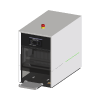 Azenta Life Sciences IntelliXcap 48 Azenta 48-format screw-cap decapper/recapper.
The Azenta IntelliXcap Automated Screw Cap Decapper/Recapper 48-format is the 48-format member of the IntelliXcap family. It removes and replaces the screw caps on a whole rack of 48 sample tubes in one cycle — Azenta states it is capable of de-capping a complete rack of 48 tubes in as little as 20 seconds — and it shares the family’s interchangeable cartridge cap driver system: the drivers that engage the caps live in a cartridge that can be changed for a different tube type in less than 2 minutes, per Azenta, with cartridges for both internal and external thread screw-cap tubes.
Compared with the IntelliXcap 96, the 48-format instrument is taller and heavier, and Azenta publishes a substantially higher torque for it — see the specification note below.
In Revolution, this driver is a scaffold. It registers the instrument so that a system can be configured against it, and nothing more: it opens no connection and sends no command. The IntelliXcap 96 driver is fully implemented; this one is not, and the two should not be read as equivalent.
At a glance
Section titled “At a glance”| Format | 48-format racked screw-cap tubes, a full rack at a time |
| Decap speed | A complete rack of 48 tubes in as little as 20 seconds, per Azenta |
| Tube compatibility | All Azenta sample storage tubes, plus — with the relevant cartridge — 48-format tubes Azenta names as LVL, Micronic, Matrix, Nunc and Greiner |
| Cap threads | Internal and external thread screw caps, by cartridge |
| Instrument interface | RS232 cable, per Azenta’s datasheet |
| Revolution transport | None — the driver opens no connection |
| Revolution control | None. One diagnostic operation that writes to the Revolution log |
Specifications
Section titled “Specifications”Azenta publishes the following in the IntelliXcap Technical Specification datasheet (42017-SD-2). Values below are the IntelliXcap 48 column where the datasheet separates models.
| System height | 386.2 mm |
| System width | 256 mm |
| System depth | 464.4 mm |
| Stage height | 31.7 mm |
| Stage width | 138 mm |
| Stage distance (when ejected) | 136.5 mm |
| System weight | 28.74 kg |
| Speed | >20 seconds per rack |
| Decapping torque | Up to 30 N/cm — not a user-configurable parameter |
| Recapping torque | Up to 15 N/cm — not a user-configurable parameter |
| Temperature, operation | 0–40 °C (32–104 °F); Azenta notes that use at 40 °C (104 °F) or above for an extended period may reduce the contrast of the monochrome LCD |
| Temperature, transport and storage | 15–40 °C (59–104 °F) |
| Relative humidity | 10–90% RH, wet bulb 39 °C (102 °F) max, no condensation |
| Storage humidity | 10–70% RH, wet bulb 39 °C (102 °F) max, no condensation |
| Ingress protection | IP 30 — protection against small foreign bodies >2.5 mm, no protection against water |
| Dust | 0.1 mg/m³ and below, non-conductive levels |
| Pollution degree | For use in a Pollution Degree 2 environment; Azenta states decontamination with hydrogen peroxide gas must be avoided as it will damage the electronic parts |
| Supply voltage | 100–120 VAC 1/N/PE / 220–240 VAC 1/N/PE, IEC 320 plugs only, ground connected at all times |
| Maximum power consumption | 500 W |
| Idle power consumption | 100 W |
| Noise | Azenta states the machine operates below the noise emissions level of <70 dB(A) |
| UI connection | RS232 cable |
| Air requirement | N/A |
| Part number | 46-8011 |
| Extended stage for automation | 46-8112, suitable for IntelliXcap 24, 48 and 96 |
The torque figures are the specification that most separates this instrument from the 96-format one. Azenta publishes up to 30 N/cm decapping and up to 15 N/cm recapping on the 48-format instrument, against 9.5 N/cm and 5.5 N/cm on the IntelliXcap 96, and notes that torque is not user-configurable on either. Tubes whose caps need more than the 96-format instrument applies are the usual reason to be looking at this one.
The stage matters for any future automation as it does on the 96: the datasheet gives a stage distance when ejected of 136.5 mm, and Azenta sells a separate Extended Stage for Automation (46-8112) for the 24, 48 and 96 instruments.
Azenta’s own sources differ on the operating range. The product page’s specification table gives an ambient operating temperature of 15–35 °C, its feature list says 5–40 °C, and the datasheet says 0–40 °C; the product page’s dimensions (386.2 × 256 × 464.4 mm, H × W × D) and weight (28.74 kg) agree with the datasheet. The product page also gives 20–40 seconds to decap or to recap a rack. Confirm the operating range against the instrument you actually have.
Supported methods
Section titled “Supported methods”None that reach the instrument. The driver declares a single operation, Debug, which writes the message it is given to the Revolution device log and does nothing else. Initialising the device writes a log line and likewise talks to no hardware.
In practice that means a schedule cannot decap or recap a rack, move the stage, load or eject a cartridge, operate the safety door, or read the instrument’s status. None of the operations the IntelliXcap 96 driver offers are available here. A schedule that routes a rack through this location and expects it back decapped is relying on something outside Revolution to have run the cycle.
The driver declares no fixed set of locations. Any location a mover uses to present a rack is defined in the system configuration, and Revolution treats it as a plain stop on the rack’s route.
Integration
Section titled “Integration”Revolution reaches the instrument only as a configured device. There is no transport configured, no vendor software in the path and no process model. Azenta’s datasheet lists an RS232 cable as the instrument’s interface; the Revolution driver does not open it.
Prerequisites
Section titled “Prerequisites”- Every decap and recap cycle must be started at the instrument’s own touch panel. A schedule step cannot do it.
- The stage must be out whenever a mover places or picks a rack. Revolution does not command the stage, so nothing in a schedule guarantees this.
- The fitted cartridge must match the tubes, and the caps’ torque must be within what the instrument applies. Neither can be checked or changed from Revolution.
- Timing must be arranged by hand. Because Revolution cannot ask the instrument whether it is busy, a schedule cannot wait on a cycle finishing.
Device configuration
Section titled “Device configuration”| Property | Purpose |
|---|---|
| — | The driver declares no configurable device properties — there is not yet a COM port setting. Only the standard device settings — name and locations — apply. |
If you need more of this instrument driven from a schedule, get in touch — the driver is extended on demand.
Operations
These are available from a Run Device Operation step.
Debug
Writes the given message to the device log and does nothing else. This driver is a scaffold awaiting implementation, so no command reaches the instrument.
| Parameter | Type | Default | Description |
|---|---|---|---|
| message | string | IntelliXcap 48 debug |
Raise Error
Makes this device report a failure on demand: the step fails with an error naming the device, and the operator is offered the usual error recovery choices. No command reaches the instrument and nothing moves, and the failure is raised in simulation as well as on a real system, so this is the step to use when rehearsing how a schedule handles a device failure.