
Search these docs, or ask Revo a question — answers link the pages they came from.
Hamilton Verso Q20
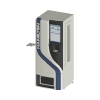 Hamilton Hamilton Verso Q20 Compact automated −20 °C sample store for tubes and plates.
The Hamilton Verso Q20 is the smallest of Hamilton’s Verso Q-Series automated sample stores, alongside the Verso Q50 and Q75. It is a single-cabinet freezer that stores and picks tubes, racks and SBS-format plates from ambient down to −20 °C. Samples go in and come out through an input/output module, and the store picks individual tubes as well as whole racks and plates. Hamilton states it can store and manage almost any SBS-format labware, and that the series can run day and night without supervision.
The store is operated through Hamilton’s INSTINCT S sample-management software, which Hamilton describes as having an API for connecting to a LIMS or to Hamilton liquid handlers. Barcodes are read inside the cold zone at −20 °C, so the store does not need to bring a sample out to identify it.
Revolution lists this device as Verso Q20, with the 3D model Q20 Standard. It drives the store through the INSTINCT S RESTful web service. A schedule can pick tubes by barcode, have the picked tubes delivered to the store’s I/O or put back into storage, introduce a rack at the I/O, and cancel a job. Each of these is a job the store plans and carries out itself: the driver queues the job, then holds the schedule step open until the store reports that the job has ended. It never moves anything directly.
At a glance
Section titled “At a glance”| Type | Compact automated sample store (lab freezer) for tubes, racks and SBS plates |
| Storage temperature | Ambient to −20 °C |
| Capacity | 268 shallow-well plates, or up to 36,900 0.3 mL tubes in high-density racks, per Hamilton |
| Footprint | 80 × 80 cm, 1.99 m high |
| Instrument software | INSTINCT S (required — Revolution queues jobs through its web service) |
| Revolution transport | HTTP to the INSTINCT S RESTful web service, API version v11 by default |
| Revolution control | Pick tubes by barcode, retrieve picked tubes to the I/O, return picked tubes, introduce a rack, cancel a job |
Specifications
Section titled “Specifications”Hamilton publishes the following for the Verso Q20 on the Verso Q-Series product page.
| Height | 1.99 m |
| Width | 80 cm |
| Depth | 80 cm |
| Storage temperature | Ambient to −20 °C |
| Barcode reading | 1D and 2D, on plates, racks and tubes |
Storage capacity depends on the labware and on the rack type:
| Labware | Standard racks | Hamilton RackWare high-density racks |
|---|---|---|
| Shallow-well plates | 268 | N/A |
| 0.3 mL tubes | 25,728 | 36,900 |
| 0.5 mL tubes | 12,864 | 18,492 |
| 0.6 mL tubes | 15,264 | 21,942 |
| 1.0 mL tubes | 12,384 | 17,800 |
| 1.4 mL tubes (septum) | 12,864 | 18,492 |
| 2.0 mL tubes | 6,192 | 7,740 |
Hamilton notes that exact storage capabilities and capacities should be confirmed with Hamilton. For the Q-Series as a whole, Hamilton quotes a throughput of up to 390 tubes per hour. That figure is not given separately for the Q20.
Capacity is the figure that decides sizing. The same cabinet holds 25,728 0.3 mL tubes but only 6,192 2.0 mL tubes in standard racks, and plates are not supported in high-density racks at all. Size the store from the tube format you actually use, not from the headline number.
Options Hamilton lists for the series include a tube side barcode reader, a customisable picker for non-standard formats such as sample collection cards, and integration with an autonomous mobile robot.
Supported methods
Section titled “Supported methods”Picking and delivering tubes
Section titled “Picking and delivering tubes”- Pick samples — pick the tubes with the given barcodes from storage into the store’s internal buffer, and wait for the pick job to end. Barcodes are separated by commas, semicolons or line breaks; blanks and repeats are dropped. The step also takes the tubes’ Barcode Type (for example ECC 200) and Labware Definition Id, each falling back to the device setting when left blank, an Optimization Mode — System (the default), OrderByColumn, OrderByRow or DeliverUnconsolidatedRacks — and a timeout, 3600 seconds by default
- Retrieve samples — deliver the tubes of a completed pick job to the store’s I/O, and wait for the retrieve job to end. Timeout 1800 seconds by default
- Return picked samples — send the tubes of a completed pick job back into storage, releasing their reservation, and wait for the return job to end. Timeout 1800 seconds by default
Both Retrieve samples and Return picked samples take a Pick Job Id. Left blank, it means the last pick job this device started since it was initialised. The driver keeps that id in memory only, so after a restart or a re-initialise the id must be given explicitly.
Introducing racks
Section titled “Introducing racks”- Introduce rack — start an introduce job at the store’s I/O for the rack already standing there, and wait for it to end. The step takes the rack’s Labware Definition Id, a Cooling Time in minutes (0 by default) that the rack waits in the I/O buffer before it is moved into storage, Force Store to store it at the next opportunity regardless of the cooling time, a Loading Destination — IO (the default), Transfer or Storage — and a timeout, 1800 seconds by default. With Wait For Store on, which is the default, the step then also waits for the store job that the store starts once the cooling time has passed, so the step ends with the rack in storage. Both waits share the one timeout
Cancelling
Section titled “Cancelling”- Cancel job — ask the store to cancel a job and wait, up to 600 seconds by default, until it has ended. Left blank, the Job Id means the last job of any kind this device started since it was initialised. A movement already in progress is finished by the store first. The step succeeds whatever state the job ends in, and the log records that state
A pick is all or nothing at the start, and checked at the end. The driver creates a pick list, adds the tubes, and only then queues the job. If the store rejects any barcode, the driver deletes the pick list and fails the step, naming each rejected tube and the store’s reason — nothing has moved. Once the pick job has completed, the driver reads the job’s results and fails the step if any requested tube was not picked. In that case the tubes that were picked stay reserved by the job until they are retrieved or returned. The driver writes to the Revolution log which tubes were picked and, for tubes placed on a rack, the rack barcode and position. It does not publish them to the schedule.
Picked tubes stay reserved. A completed pick leaves the tubes in the store’s buffer, reserved by that job. A schedule must follow every pick with Retrieve samples or Return picked samples, or release the tubes with Cancel job.
How waiting works. While a job runs, the driver reads its state every 2 seconds. A job has ended when the store reports it Complete, Failed, Cancelled, ValidationError or PreValidationError; any state other than Complete fails the step, with the problems the store reports. A job stopped by a validation error waits in the store for an operator to fix the cause and retry validation in the Hamilton software.
A timeout never stops the store. When a step’s timeout passes, the step fails but the job carries on in the store. The driver never cancels a job on its own, because cancelling mid-movement is the store’s decision. Follow the job in the Hamilton software, or stop it with Cancel job. A timeout of zero means no limit.
Every job is queued with the configured job priority, and pick jobs with the configured destination
labware type. Each job is named after the operation and the time it was queued, for example Revolution Pick 20261029-142233, so it
can be found in the Hamilton software.
What the driver does not do
Section titled “What the driver does not do”- It does not interlock the I/O with a mover. Nothing may reach into the I/O while a retrieve or introduce job is running there; the schedule must not route a pick or place at the store’s hand-off until the step has finished.
- It does not retrieve whole racks or plates from storage, read the store’s inventory, or read its temperature. Only tubes, picked by barcode, can be taken out from a schedule.
- It does not support position-mapped picks (pick templates) or the Q-Series File API.
- It does not confirm that labware a mover places at the store’s hand-off has been taken in. The Q20 Standard model carries plate locations at the hand-off, so a mover can be taught to place on and pick from it, and Revolution treats each location as a plain stop on the labware’s route.
Integration
Section titled “Integration”Revolution talks to the INSTINCT S RESTful web service over HTTP. The web service URL is the
“RESTful Web Service” endpoint set in the Hamilton Workbench, and the driver adds /api/{version}/
to it. Each request has a 30-second limit; a job is never bounded by that limit, because the driver
polls it. A read that fails on the network or with a server error is tried up to three times in
all. A request that creates or cancels something is never repeated, because a request that timed out
may still have created its job.
When a user name is configured, the driver signs in and sends the session token with every request. The session expires after a few idle minutes, so when the web service answers that authentication is required, the driver signs in again and resends the request once.
Initialising the device signs in, finds the storage system the web service reports, and checks that it is Online; a store in any other state fails the initialise. It then lists the store’s devices and identifies the I/O used for retrieve and introduce jobs. Initialising moves nothing. Uninitialising ends the session.
In simulation, nothing is sent to the store; each operation waits out its simulated duration.
Prerequisites
Section titled “Prerequisites”- INSTINCT S must be running with its RESTful web service enabled and reachable from the Revolution host, and the store must be Online.
- Without a configured user name, Authentication required must be switched off in the Hamilton settings.
- The tubes’ barcode type and labware definition id, and each rack’s labware definition id, must be the values the store itself uses.
- A rack must already be standing in the I/O before Introduce rack starts.
- If the store reports more than one device whose type mentions I/O, or none, the I/O Device Name must be set. Otherwise the device still initialises, but Retrieve samples and Introduce rack fail.
Device configuration
Section titled “Device configuration”| Property | Purpose |
|---|---|
| Web Service URL | The INSTINCT S web service endpoint, without the /api/{version} suffix. Defaults to http://127.0.0.1:5217 |
| API Version | The web service API version. Defaults to v11 |
| User Name | The user to sign in as. Blank means no sign-in |
| Password | That user’s password, stored with the device configuration |
| I/O Device Name | The store device that delivers and introduces racks, as the store names it. Blank means the one device whose type mentions I/O |
| Tube Barcode Type | Default barcode type of the stored tubes, for Pick samples |
| Tube Labware Definition Id | Default labware definition id of the stored tubes, for Pick samples |
| Pick Destination Labware Type | Where pick jobs place the tubes: IOCassette, TransferCassette, StorageCassette, StorageTray or TransportTray. Defaults to TransportTray |
| Job Priority (0-100) | Priority of every job the driver queues. Defaults to 50. Above 90, the store may pause a running lower-priority job for the new one |
If you need more of this instrument driven from a schedule, get in touch — the driver is extended on demand.
Operations
These are available from a Run Device Operation step.
Cancel Job
Asks the Q20 store to cancel a job and holds the step open until the job has ended. A movement already in progress is finished by the store first. Use it to release tubes reserved by a pick that is no longer needed, or to stop a job left running after a timeout.
| Parameter | Type | Default | Description |
|---|---|---|---|
| Job Id | string | — | Id of the job to cancel. Blank cancels the last job this device started. |
| Timeout (s) | int | 600 | How long to wait for the store to finish the job. Zero means no limit. When the limit elapses the step fails, but the job carries on in the store. Follow it in the Hamilton software or stop it with Cancel Job. |
Introduce Rack
Starts an introduce job at the Q20's I/O and holds the step open until it completes, so the rack must be in the I/O before the step starts. Optionally the step then also waits for the store job that moves the rack into storage, which the store starts once the cooling time has passed.
| Parameter | Type | Default | Description |
|---|---|---|---|
| Labware Definition Id | string | — | Labware definition id of the rack being introduced, as the store lists it. |
| Cooling Time (min) | int | 0 | Minutes the rack waits in the I/O buffer before the store moves it into storage. |
| Force Store | bool | false | Stores the rack at the next opportunity, ignoring the cooling time. |
| Loading Destination | string | IO | Where the introduce job leaves the rack: IO, Transfer or Storage. IO leaves the rack in the I/O buffer until the cooling time has passed; Storage moves it straight into storage. |
| Wait For Store | bool | true | Also waits for the store job that moves the rack into storage. |
| Timeout (s) | int | 1800 | How long to wait for the store to finish the job. Zero means no limit. When the limit elapses the step fails, but the job carries on in the store. Follow it in the Hamilton software or stop it with Cancel Job. |
Pick Samples
Picks the tubes with the given barcodes from storage into the Q20's internal buffer and holds the step open until the pick job ends. The step fails if the store rejects any barcode, if the job does not complete, or if any tube was not picked. Picked tubes stay reserved in the store until Retrieve Samples or Return Picked Samples.
| Parameter | Type | Default | Description |
|---|---|---|---|
| Barcodes | string | — | Barcodes of the tubes to pick, separated by commas, semicolons or new lines. Each barcode is identified with the barcode type and labware definition id. If the store rejects any of them, nothing is picked and the step fails, naming the rejected tubes and the reasons. |
| Barcode Type | string | — | Barcode type of the tubes as the store names it, for example ECC 200. Blank uses the device setting. |
| Labware Definition Id | string | — | Labware definition id of the tubes, as the store lists it. Blank uses the device setting. |
| Optimization Mode | string | System | How the store arranges the picked tubes: System, OrderByColumn, OrderByRow or DeliverUnconsolidatedRacks. System lets the store choose the fastest arrangement; keeping row or column order can be slower for large picks. |
| Timeout (s) | int | 3600 | How long to wait for the store to finish the job. Zero means no limit. When the limit elapses the step fails, but the job carries on in the store. Follow it in the Hamilton software or stop it with Cancel Job. |
Raise Error
Makes this device report a failure on demand: the step fails with an error naming the device, and the operator is offered the usual error recovery choices. No command reaches the instrument and nothing moves, and the failure is raised in simulation as well as on a real system, so this is the step to use when rehearsing how a schedule handles a device failure.
Retrieve Samples
Delivers the tubes of a completed pick job to the Q20's I/O and holds the step open until the retrieve job completes. Nothing may reach into the I/O until this step has finished.
| Parameter | Type | Default | Description |
|---|---|---|---|
| Pick Job Id | string | — | Id of the pick job whose tubes to use. Blank uses the last pick this device started. |
| Timeout (s) | int | 1800 | How long to wait for the store to finish the job. Zero means no limit. When the limit elapses the step fails, but the job carries on in the store. Follow it in the Hamilton software or stop it with Cancel Job. |
Return Picked Samples
Sends the tubes of a completed pick job back into storage, releasing their reservation, and holds the step open until the return job completes.
| Parameter | Type | Default | Description |
|---|---|---|---|
| Pick Job Id | string | — | Id of the pick job whose tubes to use. Blank uses the last pick this device started. |
| Timeout (s) | int | 1800 | How long to wait for the store to finish the job. Zero means no limit. When the limit elapses the step fails, but the job carries on in the store. Follow it in the Hamilton software or stop it with Cancel Job. |