
Search these docs, or ask Revo a question — answers link the pages they came from.
DP5 Mirage
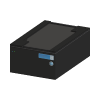 Ziath DP5 Mirage Low-profile camera reader for 2D DataMatrix-coded tubes in SBS-format racks.
The Ziath DP5 Mirage reads the 2D DataMatrix codes on the bottoms of every tube in a rack in one camera image. The rack sits on top of the reader, a camera underneath captures the tube bottoms, and Ziath’s DP5 software on the host PC decodes each position and reports which tubes were read, which codes were damaged and which positions are empty. The reader is small and low, and Ziath states that the low profile allows its use in robotic integrations for liquid-handling systems.
Ziath has been part of Azenta Life Sciences since 2023, and the DP5 Mirage was published on Azenta’s site. That product page now redirects to Azenta’s Mirage Connect, a networked reader; the specifications below are the ones Azenta published for the DP5 Mirage itself.
Ziath offers a Cryoprotection option: a passive coating on the scanner window that Ziath states
prevents condensation when a rack comes straight from cold storage, without heat or blown air, so
there is no risk of warming the samples. It is fitted at order — the part numbers ending -80.
In Revolution, this driver is a scaffold. It registers the reader so that a system can be configured against it, and nothing more: it opens no connection and sends no command.
At a glance
Section titled “At a glance”| Type | Camera-based 2D barcode reader for tubes in SBS-format racks |
| Rack formats | 24, 48, 96 and 240 positions, per Ziath |
| Codes | 2D DataMatrix |
| Instrument software | Ziath DP5 on a Windows host PC, with remote control for integration, per Ziath |
| Revolution transport | None — the driver opens no connection |
| Revolution control | None. One diagnostic operation that writes to the Revolution log |
Specifications
Section titled “Specifications”Azenta Life Sciences published the following for the Ziath DP5 Mirage Rack Reader on its product page.
| Dimensions (D × W × H) | 208 × 135 × 80 mm |
| Weight | 1.35 kg |
| Power adapter | Input 100–240 V AC; output 5 V DC, 4 A |
| Power consumption | ≤10 W |
| Labware compatibility | All currently available 24, 48, 96 and 240 position racks |
| Imaging technology | CMOS camera |
| Read time | Approx. 2 seconds |
| Code compatibility | DataMatrix 2D barcodes |
| Working temperature | 5 to 35 °C |
| Data export | .csv, .text, Excel, .XML, .JSON, Python, .DB, .PNG or email |
| Host PC operating system | Windows 10, 11 |
| Software | Includes remote control capability for integration applications |
| Warranty | 2 years |
Azenta listed four versions: DP5-M-STD (standalone, DP5 Standard software), DP5-M-STD-80 (the same with Cryoprotection), DP5-M-NET (Mirage LAN with DP5 Network software) and DP5-M-NET-80 (LAN with Cryoprotection). Each ships with a USB lead to the host computer. A Cyclops 1D linear code side reader (DP5-CYS-M) and an upgrade for Azenta acoustic tubes (DP5-UP-AT) were sold for it.
The figure that matters for an integration is the 80 mm height, which is what makes the reader a candidate for a position inside a liquid handler or beside a mover. Check the reachable height of the rack on top of it, not just the reader’s footprint, before planning a location.
Supported methods
Section titled “Supported methods”None that reach the instrument. The driver declares a single operation, Debug, which writes the message it is given to the Revolution device log and does nothing else. Initialising the device writes a log line and likewise talks to no hardware.
In practice that means a schedule cannot start a read, cannot choose a rack format and cannot receive the decoded tube IDs. Nothing DP5 produces arrives in Revolution through this driver, so a schedule that needs tube identities cannot get them here — they would have to be read in DP5 and brought in some other way.
The driver declares no fixed set of locations. Any location a mover uses to place a rack on the reader is defined in the system configuration, and Revolution treats it as a plain stop on the rack’s route.
For a comparable instrument, see the AltemisLab AlteRead SBS Rack Reader, another camera reader that images every tube bottom in an SBS rack at once.
Integration
Section titled “Integration”Revolution reaches the reader only as a configured device. There is no transport, no vendor software in the path and no process model. Ziath’s DP5 software includes remote control for integration applications; the Revolution driver does not use it.
Prerequisites
Section titled “Prerequisites”- DP5 must be installed on the host PC the reader is connected to, and reads must be started and exported there. A schedule step cannot start either.
- If a mover places racks on the reader, the location must be taught and the rack seated by the mover. Revolution does not confirm that a read happened, or that it succeeded, before the rack is picked again.
Device configuration
Section titled “Device configuration”| Property | Purpose |
|---|---|
| — | The driver declares no configurable device properties. Only the standard device settings — name and locations — apply. |
If you need more of this instrument driven from a schedule, get in touch — the driver is extended on demand.
Operations
These are available from a Run Device Operation step.
Debug
Writes the given message to the device log and does nothing else. This driver is a scaffold awaiting implementation, so no command reaches the instrument.
| Parameter | Type | Default | Description |
|---|---|---|---|
| message | string | DP5 Mirage debug |
Raise Error
Makes this device report a failure on demand: the step fails with an error naming the device, and the operator is offered the usual error recovery choices. No command reaches the instrument and nothing moves, and the failure is raised in simulation as well as on a real system, so this is the step to use when rehearsing how a schedule handles a device failure.