
Search these docs, or ask Revo a question — answers link the pages they came from.
Qi TurnStation
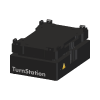 UK Robotics Qi TurnStation Driven plate reorientation station — a turntable that presents the plate to the robot.
A reorientation station changes the orientation in which labware is presented, so a plate picked up one way round can be handed over another. A mover’s gripper approaches labware from a fixed direction, and instruments do not agree on which way a plate should face — something has to turn the plate, and turning it in the gripper is usually not an option.
The Qi TurnStation is a UK Robotics reorientation station that is driven: its table turns, so the plate is presented at the angle the robot needs. The robot sets the plate down, the table turns it, and the robot picks it up again. There is no third-party datasheet to consult — the behaviour described here is the behaviour Revolution implements.
Revolution has two drivers for the station, and a system uses one or the other:
- Qi TurnStation — for robots that approach each location in one taught way. The station carries one location per presentation, each taught with its grip profile and orientation.
- Qi TurnStation NG — for multi-presentation robots, such as the PF400 NG devices. The station carries one location with all four approach directions, and the table supplies the presentation.
At a glance
Section titled “At a glance”| Type | Driven — the table turns to the requested presentation |
| Table positions | Eight, every 45° |
| Grip profiles | Landscape, Portrait |
| Connection | Serial (COM port), text commands |
| Locations | Qi TurnStation: one per presentation. Qi TurnStation NG: one |
| Revolution control | Turns automatically around picks, places and reorientations. Teaching operations: move to orientation (Qi TurnStation), move to presentation (Qi TurnStation NG), report the current position (both) |
How it works
Section titled “How it works”The table angle comes from a grip profile (Landscape or Portrait) and an orientation in degrees: Landscape turns the table to the orientation, and Portrait adds 90°. The table has eight positions, every 45°, and on a real station a turn to any other angle fails.
Qi TurnStation. Each of the station’s locations is taught on the robot with the grip profile and orientation it represents. Before a robot picks from or places onto one of those locations, the table turns to that location’s grip profile and orientation. A reorientation finds the location matching the plate’s current presentation and the one matching the goal, turns the table to the first, has the robot place the plate, turns the table to the second, and has the robot pick it again.
Qi TurnStation NG. The robot always approaches the one location from the side facing it, so the table turns the requested presentation round to that side: the angle is measured relative to the presentation that faces the robot. Before a pick or a place, the table turns to the presentation the transfer planned — or, when none was planned, to the grip taught for the location. A reorientation turns the table to the plate’s current presentation, has the robot place the plate in it, turns to the goal presentation, and has the robot pick it in that. The robot must be able to reach both presentations at the location; if they resolve to two different locations, the reorientation fails before anything moves. Only a robot can transfer to the NG station, because only a robot has a grip to turn the plate for.
Supported methods
Section titled “Supported methods”The table turns on its own as part of a transfer, so a schedule needs no operation to use the station. The operations below are for setting up and teaching:
- Move to orientation (Qi TurnStation) — turn the table to an orientation in degrees, using a given grip profile
- Move to presentation (Qi TurnStation NG) — turn the table to present the plate as Bottom (0°), Right (90°), Top (180°) or Left (270°). These are table angles, not taken relative to any robot
- Dump current position (both) — read the table’s current position and show it as an information message. On the Qi TurnStation NG in simulation, it shows the simulated table’s angle; the Qi TurnStation shows nothing in simulation
Both move operations are marked for teaching only: use them to put the table in position while setting up, not to move labware during a schedule. Dump current position writes its message for the operator; it does not publish the position to the schedule.
The operations list below covers both drivers: each driver offers only the operations marked against it above.
Integration
Section titled “Integration”Revolution talks to the station over a serial connection on the configured COM port; only the port name is configurable. Each command is a line of ASCII text ending in a carriage return, and a command that gets no reply within 5 seconds fails. If the station answers with an error, the driver reads the station’s error list and puts it in the step’s error. After every turn the driver polls the station’s turn state every half second, and fails the step if the turn has not finished within 10 seconds.
Initialising the device opens the port, reads the station’s version, description and turn configuration, initialises the turn mechanism, homes the table to 0° at slow speed, then switches to the normal turn speed, turns to 135° and back to 0°, and logs any errors the station reports. Uninitialising closes the port.
In simulation, nothing is sent to the station. The 3D view of the table turns to each angle as the real table would, including on initialisation.
Prerequisites
Section titled “Prerequisites”- The station must be cabled to the Revolution host and its COM port known before the device is initialised.
- Use the Qi TurnStation driver with robots taught one way per location, and teach each of the station’s locations on the robot with the grip profile and orientation it represents.
- Use the Qi TurnStation NG driver with multi-presentation robots, and give the station one location. The robot must be able to reach, at that location, the presentations the schedule’s reorientations need.
- Orientations must turn the table to a multiple of 45°.
Device configuration
Section titled “Device configuration”| Property | Purpose |
|---|---|
| COM Port Name | Serial port the station is connected on. Defaults to COM1 |
| Accept all object types | Allow any labware onto the station. On by default |
| Accepted object type names | When not accepting all types, the comma-separated labware type names this station will take |
Accepted object type names is a guard, not a convenience. Restricting a station to the labware it is actually set up for means Revolution will not plan a reorientation through it for any other labware type.
If you need more of this instrument driven from a schedule, get in touch — the driver is extended on demand.
Operations
These are available from a Run Device Operation step.
Dump Current Position
Writes the mover's current position to the log. Intended for use while teaching positions.
Move To Orientation
Moves the ROS to a taught position. Intended for teaching only: do not use it to move labware during a schedule.
| Parameter | Type | Default | Description |
|---|---|---|---|
| orientation | int | — | Orientation to move to, taught position. |
| grip Profile | GripProfile | — | The grip profile to use for the move. |
Move To Presentation
Turns the table to present the plate in the given presentation. Intended for teaching only: do not use it to move labware during a schedule.
| Parameter | Type | Default | Description |
|---|---|---|---|
| Presentation | PlatePresentationOption | — | The plate presentation to turn the table to. |