
Search these docs, or ask Revo a question — answers link the pages they came from.
MultiFlo FX
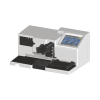 Agilent MultiFlo FX BioTek modular reagent dispenser — Revolution's Dispense step reaches no hardware.
The BioTek MultiFlo FX is a modular reagent dispenser for 6- to 1536-well plates. Agilent builds it up from modules: up to two peristaltic pump dispensers and two syringe pump dispensers, so up to four reagents can be dispensed in parallel, plus an optional plate-wash module. Peristaltic pumps are the reagent-saving choice and syringe pumps the faster, more precise one, per Agilent.
Two further options change what the instrument is for. Random Access Dispensing (RAD) dispenses
custom-mapped volumes to individual wells from an imported .csv file, which Agilent positions for
work such as concentration normalisation. The AMX module uses one peristaltic pump to dispense
and another to aspirate, for gentle media exchange on spheroids and other 3D cell structures.
BioTek is now part of Agilent, so current product information appears under Agilent’s name.
In Revolution, this driver does not reach the instrument. It declares a plate location and one operation, Dispense, and on a real system that operation does nothing — see below.
At a glance
Section titled “At a glance”| Type | Modular multimode reagent dispenser, with optional washing |
| Dispense modules | Up to 2 peristaltic and 2 syringe pumps — up to four reagents in parallel |
| Dispense volume | From 500 nL per well |
| Labware | 6- to 1536-well plates |
| Instrument software | Agilent BioTek Liquid Handling Control (LHC2) |
| Revolution transport | None — the driver opens no connection |
| Revolution control | None. The Dispense operation sends no command to the instrument |
Specifications
Section titled “Specifications”Agilent publishes the following on the MultiFlo FX product page and in the MultiFlo FX data sheet (5994-5500EN).
| Dispensing, plate types | 96-, 384- and 1536-well standard, deep-well and PCR plates; 6-, 12-, 24- and 48-well plates (dispense tip configurable) |
| Washing, plate types | 96- and 384-well standard plates; 6-, 12-, 24- and 48-well plates, with a compatible manifold configuration |
| Dispense volume range (minimum) | 500 nL per well |
| Accuracy | ±5% at 1 µL; ±2.0% at 5 µL; ±2.0% at 10 µL |
| Precision | <5% CV at 1 µL; <2.5% CV at 5 µL; <2.0% CV at 10 µL |
| Shaking | Programmable up to 60 minutes |
| Soaking | Programmable up to 60 minutes |
| User interface | Colour touch screen; protocols created, edited or run onboard |
| Software | LHC2; LHC2 Secure for 21 CFR Part 11 (option); LHC SiLA-compliant driver (option) |
| Automation | BioStack microplate stacker, BioSpa 8, third-party automation |
| Certification | CE and TUV marked; RoHS compliant |
The volume range is quoted for the instrument as a whole, not for any one module. The window available on a given setup depends on the pump and cassette fitted, and the accuracy and precision figures are published only at 1, 5 and 10 µL. Plan a protocol against the module that is actually fitted, and do not assume performance at other volumes.
Supported methods
Section titled “Supported methods”None that reach the instrument. The driver declares one operation, Dispense, and its real-mode branch is empty: on a live system the step returns at once, having sent nothing to the dispenser. It takes no parameters, so there is no protocol name, volume or module to choose. In simulation it waits for the configured simulation duration, which makes it look in a simulated run as though a dispense took place.
That difference matters. A schedule containing a Dispense step will pass on a real system without any reagent being dispensed. Do not rely on it to dispense; treat the step as a placeholder.
The device declares a single plate location, so a mover can place a plate on the MultiFlo FX and pick it back off, and a schedule can treat the location as a stop on a plate’s route. Any dispense or wash that happens while the plate is there is started at the instrument’s touch screen or from LHC2, not by Revolution.
Integration
Section titled “Integration”Revolution reaches the instrument only as far as its plate location. There is no transport configured, no vendor software in the path and no process model beyond load and unload. Agilent offers LHC2 and an optional LHC SiLA-compliant driver for computer control; the Revolution driver uses neither.
Prerequisites
Section titled “Prerequisites”- Every dispense, wash or media exchange must be started at the instrument or from LHC2. A schedule step cannot do it — including the Dispense step.
- Reagent supply, priming and waste must be set up at the instrument. Revolution cannot prime a line or check a level.
- The plate stage must be where the mover expects it when a transfer happens. Revolution does not command it, so nothing in a schedule guarantees this.
- Timing must be arranged by hand. Because Revolution cannot ask the instrument whether it is busy, a schedule cannot wait on a dispense finishing.
Device configuration
Section titled “Device configuration”| Property | Purpose |
|---|---|
| — | The driver declares no configurable device properties. Only the standard device settings — name, and the plate location the mover uses — apply. |
If you need more of this instrument driven from a schedule, get in touch — the driver is extended on demand.
Operations
These are available from a Run Device Operation step.
Dispense
Not yet documented.
Raise Error
Makes this device report a failure on demand: the step fails with an error naming the device, and the operator is offered the usual error recovery choices. No command reaches the instrument and nothing moves, and the failure is raised in simulation as well as on a real system, so this is the step to use when rehearsing how a schedule handles a device failure.