
Search these docs, or ask Revo a question — answers link the pages they came from.
Synergy Neo2
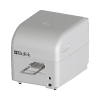 Agilent Synergy Neo2 BioTek HTS hybrid multimode reader.
The BioTek Synergy Neo2 is the high-throughput member of the Synergy family. Agilent describes it as a hybrid reader built for screening labs: variable-bandwidth quad monochromators alongside high-transmission filter-based optics, with laser options for TRF and Alpha assays and up to four PMTs. Dual PMTs read two emission signals at once, which is where much of its speed comes from.
BioTek is now part of Agilent, so current product information appears under Agilent’s name. Agilent also sells a clinical (IVD) version of the reader, run under Gen5 IVD software.
Revolution drives the Neo2 through Gen5’s OLE Automation interface. The measurement itself is defined in a Gen5 protocol; a schedule runs that protocol on the plate on the carrier, waits for the read, saves the Gen5 experiment and exports the results to files. It can also continue a discontinuous kinetic or paused read, move the carrier, and set and read the incubator and the CO₂/O₂ gas controller. The Synergy H1 has a separate driver, which is still a scaffold.
At a glance
Section titled “At a glance”| Type | Hybrid multimode microplate reader for high-throughput screening |
| Read methods | End point, kinetic, spectral scanning, well-area scanning |
| Detection | Absorbance, fluorescence intensity, fluorescence polarisation, TRF, luminescence, Alpha |
| Labware | 6- to 1536-well plates, Petri and cell culture dishes, Take3 micro-volume plates |
| Instrument software | Gen5, per Agilent; Gen5 Secure for 21 CFR Part 11 is an option |
| Revolution transport | Gen5 OLE Automation on the Revolution host; the reader on USB to that PC |
| Revolution control | Run a Gen5 protocol, resume or abort a read, carrier in and out, incubation, CO₂/O₂, status, system test |
| Plate locations | One — the plate carrier |
Specifications
Section titled “Specifications”Agilent publishes the following in the BioTek Synergy Neo2 Hybrid Multimode Reader data sheet (5994-3578EN). Lasers, PMT count and gas control are configuration options, so not every instrument has every mode.
| Absorbance wavelength range | 230–999 nm, 1 nm increments |
| Absorbance bandwidth | <3 nm (<285 nm); <6 nm (>285 nm) |
| Absorbance dynamic range | 0–4.0 OD |
| Fluorescence wavelength range | Monochromator 250–700 nm; filter 200–700 nm (850 nm option on both) |
| Fluorescence bandwidth (monochromator) | Variable, 3–50 nm in 1 nm increments |
| Fluorescence dynamic range | 7 decades |
| Fluorescence polarisation | Filter-based, 280–700 nm (850 nm option); 1 mP standard deviation at 1 nM fluorescein |
| Time-resolved fluorescence | Xenon flash lamp or optional TRF laser; 5 fM (laser), 40 fM (flash lamp), 384-well low-volume plate |
| Luminescence | 300–700 nm; >6 decades; 5 amol ATP typical, 384-well low-volume plate |
| Alpha | 100 mW 680 nm laser, PMT detector; 100 amol LCK peptide, 384-well low-volume plate |
| Fluorescence read speed (kinetic) | 96 wells 6 s; 384 wells 11 s; 1536 wells 25 s |
| Alpha read speed (kinetic) | 96 wells 30 s; 384 wells 1 min 50 s; 1536 wells 7 min 20 s |
| Incubation | 4-zone, to 70 °C; ±0.2 °C at 37 °C |
| Shaking | Linear, orbital, double orbital |
| Gas control (option) | CO₂ 0–20%; O₂ 1–19% |
| Reagent dispensers | 2 syringe pumps; 5–1,000 µL in 1 µL increments; ±1 µL or 2%; 1.1 mL dead volume |
| Power | 250 W max |
| Dimensions (W × D × H) | 38.1 × 52.5 × 41.2 cm; depth 62.2 cm with the TRF laser |
| Weight | 35.4 kg; 45.3 kg with the TRF laser |
The TRF laser changes the footprint: it adds nearly 10 cm of depth and about 10 kg, so bench and mover-reach planning should be done against the configuration actually on order. Agilent’s product page gives the TRF laser as 337 nm, for TR-FRET, HTRF and LanthaScreen, and lists the BioStack Neo stacker for walk-away plate handling.
Supported methods
Section titled “Supported methods”The measurement is defined in Gen5. Revolution does not choose a detection mode, wavelength, shake
or injection itself: it runs a Gen5 protocol (.prt), and the protocol defines the read.
Reading
Section titled “Reading”- Run Protocol — create a Gen5 experiment from a protocol, read the plate on the carrier with it and hold the step open until the read ends. A relative protocol path is resolved against the device’s Protocol Folder. The barcode given on the step, or failing that the barcode of the labware on the carrier, is recorded against the plate in Gen5 and names the saved files
- Resume Read — reopen an experiment saved by an earlier Run Protocol and carry it on: the next interval of a discontinuous kinetic read, or the rest of a read paused at a Gen5 Stop/Resume step. The experiment is saved again afterwards. The step refuses to read if the barcode on the step or the carrier differs from the one recorded in the experiment, or if the experiment has nothing left to continue
- Abort Read — abort the read that is running. The step that started the read then fails, reporting the read as aborted. With no read running, nothing is sent
Before each read the driver asks Gen5 to keep the plate inside afterwards, so that Revolution, not the protocol’s eject setting, decides when the carrier opens. It then has Gen5 validate the procedure against the reader, and fails the step without reading if Gen5 rejects it.
What happens after a read. A read that completes, or that pauses at a Stop/Resume step, counts as a success; one that ends aborted or in error fails the step with Gen5’s error text.
- If an Experiment Folder is set, the experiment is saved there as
<barcode>.xpt, whether or not the read succeeded. On a file system an existing file is not overwritten: a time suffix is added instead. - After a successful read, if an Export Folder is set, every File Export builder in the protocol
is run and written there as
<barcode>_<builder>.txt. With no File Export in the protocol, a warning is logged and nothing is exported. With no Export Folder, exporting is left to the protocol’s own auto-export settings.
With no barcode from the step or the carrier, the files are named by date and time instead.
Discontinuous kinetic and paused reads need an Experiment Folder. Gen5 holds one experiment at a time, so the driver closes the experiment after every step rather than keep it open between intervals. Run Protocol reads the first interval of a discontinuous kinetic protocol and Resume Read reads each later one from the saved file. Without an Experiment Folder, Run Protocol refuses a discontinuous kinetic protocol before reading, and fails a read that pauses, because neither could be continued.
The read timeout. The driver polls a running read every 2 seconds. A read still running after the device’s Read Timeout (240 minutes by default) is aborted and the step fails; if it has not stopped within 2 minutes of the abort, the step fails telling the operator to check the reader in Gen5.
Nothing else reaches the reader during a read. Gen5 allows no other reader call while a read is running, so every operation except Abort Read is refused until the read ends — including the carrier moves that a pick or place at this device triggers.
The read operations publish to the schedule: Neo2ReadStatus, Neo2ReadErrors, Neo2Barcode,
Neo2ExperimentFile, Neo2ExportFiles (paths separated by ;), and, for a discontinuous kinetic
protocol, Neo2KineticIntervalMinutes and Neo2KineticRuntimeMinutes. A later Resume Read step
normally takes ${Neo2ExperimentFile} as its experiment file.
The plate carrier
Section titled “The plate carrier”- Carrier Out — move the plate carrier out of the reader
- Carrier In — move the carrier in, telling the reader the Gen5 plate type and whether the plate on the carrier is lidded, so it can allow for the plate height. Blank uses the device’s Default Gen5 Plate Type; with no plate on the carrier the reader is told the carrier is empty
These are needed only at other points in a schedule. The driver moves the carrier out before every pick or place at this device and back in afterwards: in empty after a pick, and after a place with the Default Gen5 Plate Type and the plate’s lid state. If no default plate type is set, the carrier closes with a plain carrier-in and a warning is logged, because the reader is not then told the plate height. The carrier hooks fail if the device is not initialised, so a robot is not sent to a closed reader.
Incubation and gas
Section titled “Incubation and gas”- Set Temperature — turn the incubator on at a set point (0 to 70 °C, 37 by default) and a top-to-bottom gradient (0 to 5 °C), or off. It returns without waiting; Gen5 rejects a set point outside the reader’s range and the step then fails
- Wait For Temperature — hold the step open until the measured temperature is within a tolerance
(0.5 °C by default) of the set point Gen5 reports, failing after a timeout (30 minutes by default)
or straight away if the reader has no incubator. Publishes
Neo2Temperature - Read Temperature — publish the current temperature and Gen5’s status for it as
Neo2TemperatureandNeo2TemperatureStatus - Set Gas — set the CO₂ or O₂ set point of the gas controller, in percent, or turn gas control off
- Read Gas — publish the current CO₂ or O₂ level and its status as
Neo2GasLevelandNeo2GasStatus
There is no operation that waits for a gas level to be reached.
Status and maintenance
Section titled “Status and maintenance”- Read Status — publish the reader’s status, serial number and Gen5 version as
Neo2ReaderStatus,Neo2SerialNumberandNeo2Gen5Version. A reader error is given as its hex code - Run System Test — run a new reader system test and wait for it, up to 15 minutes. The pass/fail
result and Gen5’s results text are published as
Neo2SystemTestPassedandNeo2SystemTestResults, and the step fails if the test does not pass - Clear Tip Prime Trough — tell the reader the injector tip prime trough has been emptied. The reader cannot check that it really is
What the driver does not do
Section titled “What the driver does not do”- It does not create or edit Gen5 protocols, and it reads only the first plate of an experiment.
- It does not parse or return measurement values. Results stay in the Gen5 experiment and in the exported files.
- It does not drive the BioStack Neo stacker.
- It does not stop a read when the device is uninitialised. It logs a warning and releases Gen5, which finishes or aborts the read on its own.
Integration
Section titled “Integration”Revolution talks to Gen5’s OLE Automation server (the Gen5.Application COM object), which in
turn talks to the reader. Gen5 must be installed on the Revolution host, with the Neo2 connected to
that PC by USB. The driver binds to Gen5 at run time rather than through an interop assembly, so it
still loads on a PC without Gen5; it was written against the Gen5 3.18 OLE Automation Programmer’s
Guide. Every Gen5 call is made on one dedicated thread, one at a time, and a Gen5 failure becomes a
failed step carrying Gen5’s message and, where there is one, the reader’s own error code.
Initialising the device starts a Gen5 automation instance, configures it for a Synergy Neo2 over USB (by serial number, if one is set) and runs Gen5’s reader communication test. Gen5 accepts that configuration even when no reader is connected, and then only simulates, so a failed communication test fails the initialise. The driver also notes whether Gen5 keeps its files on disk or in its database, and logs the Gen5 version, serial number and reader status. Uninitialising releases Gen5.
Gen5 database storage changes the paths. When Gen5 stores its files in its database, protocol and
experiment paths must be Gen5 DB:\ paths, and a file path is refused; when it stores them on disk,
a DB:\ path is refused and a protocol or experiment file must exist before Gen5 is asked. The
Export Folder is always an ordinary folder on the Revolution host, created if it is missing.
In simulation, Gen5 is not started and nothing reaches the reader. Steps wait their simulated duration, and the operations that publish values publish placeholders so that later steps find them: a completed read, 25.0 °C, 5.0% CO₂ or 20.9% O₂, a status of OK, and “Simulated” for the serial number, Gen5 version and system test results. These are not instrument figures. A step with no protocol or experiment file fails in simulation too.
Prerequisites
Section titled “Prerequisites”- Gen5 must be installed on the Revolution host and registered for OLE Automation, and the Neo2 connected to that PC by USB and powered, before the device is initialised.
- The reader must not be in use by another Gen5 session. If more than one Neo2 is connected to the PC, set the Reader Serial Number.
- Protocols must be written and tested in Gen5 first. To save results to files from a schedule, give each protocol a File Export and set the Export Folder.
- Set the Default Gen5 Plate Type to the plate the robot places, so that the carrier closes with the plate height known.
- Set an Experiment Folder before running discontinuous kinetic protocols or protocols with a Stop/Resume step.
Device configuration
Section titled “Device configuration”| Property | Purpose |
|---|---|
| Reader Serial Number | Serial number of the Neo2 to use. Leave blank when it is the only Neo2 connected to the PC |
| Protocol Folder | Folder that relative protocol paths are resolved against; a DB:\ folder when Gen5 uses its database |
| Experiment Folder | Where each read’s Gen5 experiment (.xpt) is saved, and relative experiment paths are resolved. Blank saves nothing |
| Export Folder | Where each read’s file exports are written, one file per File Export in the protocol. Blank leaves exporting to the protocol’s own auto-export settings |
| Default Gen5 Plate Type | Gen5 plate type name passed when the carrier closes on a plate placed by a robot, and by Carrier In when the step gives none |
| Read Timeout (minutes) | Longest a read may run before it is aborted. Defaults to 240; must be at least 1 |
If you need more of this instrument driven from a schedule, get in touch — the driver is extended on demand.
Operations
These are available from a Run Device Operation step.
Abort Read
Aborts the read currently running on the reader. The step that started the read then fails, reporting the read as aborted; with no read running nothing is sent.
Carrier In
Moves the plate carrier into the reader, telling it the plate type and lid state of the plate on the carrier. The carrier is also closed automatically after any pick or place at this device, so this step is only needed to close the reader at some other point in a schedule.
| Parameter | Type | Default | Description |
|---|---|---|---|
| Gen5 Plate Type | string | — | Gen5 plate type of the plate on the carrier; blank uses the device's default plate type. The reader uses the plate type and whether the plate is lidded to allow for the plate height as the carrier closes. With no plate on the carrier it is told the carrier is empty. |
Carrier Out
Moves the plate carrier out of the reader so a robot or an operator can load or unload a plate. The carrier is also moved out automatically before any pick or place at this device, so this step is only needed to open the reader at some other point in a schedule.
Clear Tip Prime Trough
Tells the reader that the injector tip prime trough has been emptied. It cannot check that the trough really is empty.
Raise Error
Makes this device report a failure on demand: the step fails with an error naming the device, and the operator is offered the usual error recovery choices. No command reaches the instrument and nothing moves, and the failure is raised in simulation as well as on a real system, so this is the step to use when rehearsing how a schedule handles a device failure.
Read Gas
Reads the current CO2 or O2 level from the reader's gas controller.
| Parameter | Type | Default | Description |
|---|---|---|---|
| Gas | string | CO2 | Which gas to control or read: CO2 or O2. |
Read Status
Reads the reader's status, serial number and Gen5 version.
Read Temperature
Reads the current incubation temperature.
Resume Read
Reopens an experiment saved by an earlier read of this plate and carries it on: the next interval of a discontinuous kinetic read, or the rest of a read paused at a Stop/Resume step. The plate is kept inside afterwards and the experiment is saved again, and the step fails if the experiment has nothing to continue or belongs to a different plate.
| Parameter | Type | Default | Description |
|---|---|---|---|
| Experiment File | string | — | Saved Gen5 experiment (.xpt) to continue; normally ${Neo2ExperimentFile} from the step that started the read. A relative path is resolved against the device's experiment folder. The experiment is saved again after this read, so the next interval continues from it. |
| Plate Barcode | string | — | Barcode of the plate expected on the carrier; blank uses the barcode of the labware on the carrier. The step fails without reading if it differs from the barcode recorded in the experiment, so one plate cannot be read into another plate's experiment. With no barcode on either side the check is skipped. |
Run Protocol
Creates a Gen5 experiment from a protocol, reads the plate on the carrier with it and holds the step open until the read finishes, keeping the plate inside afterwards. The procedure is checked against the reader before the read starts, the experiment is saved and results exported to the folders configured on the device, and the step fails if the read ends in error or is aborted. For a discontinuous kinetic protocol this reads the first interval, and Resume Read reads the rest.
| Parameter | Type | Default | Description |
|---|---|---|---|
| Protocol File | string | — | Gen5 protocol (.prt) to read the plate with. A relative path is resolved against the device's protocol folder. When Gen5 keeps its files in its database the path must be a DB:\ path, otherwise a file path on the RevoCore PC. |
| Plate Barcode | string | — | Barcode recorded against the plate in Gen5; blank uses the barcode of the labware on the carrier. It also names the saved experiment and export files; with neither a barcode nor labware on the carrier they are named by date and time. |
Run System Test
Runs the reader's system test and fails the step if it does not pass. The results text is published either way.
Set Gas
Sets the CO2 or O2 set point of the reader's gas controller, or turns gas control off.
| Parameter | Type | Default | Description |
|---|---|---|---|
| Gas | string | CO2 | Which gas to control or read: CO2 or O2. |
| Gas Control On | bool | true | Turns the gas controller's regulation on or off. |
| Set Point (%) | double | 5 | Target concentration of the gas, in percent. |
Set Temperature
Turns the incubator on at the given set point and gradient, or off, and returns without waiting for the temperature to be reached.
| Parameter | Type | Default | Description |
|---|---|---|---|
| Incubator On | bool | true | Turns the incubator on at the set point, or off. |
| Set Point (°C) | int | 37 | Incubation temperature in degrees Celsius. Gen5 rejects a set point outside the reader's incubation range, and the step then fails. |
| Gradient (°C) | int | 0 | Temperature difference between the top and the bottom of the plate; 0 for none. |
Wait For Temperature
Holds the step open until the incubation temperature is within the tolerance of the set point, failing if it is not reached within the timeout.
| Parameter | Type | Default | Description |
|---|---|---|---|
| Tolerance (°C) | double | 0.5 | How close to the set point counts as reached, in degrees Celsius. |
| Timeout (minutes) | int | 30 | Longest wait for the reader to reach its set point. |