
Search these docs, or ask Revo a question — answers link the pages they came from.
Sci-Print MP2
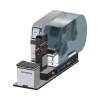 Scinomix Sci-Print MP2 Benchtop print-and-apply barcode labeler for microplates and deep well blocks.
The Scinomix Sci-Print MP2 prints a barcode label and applies it to the side of a microplate. A plate sits on the MP2’s platform, a thermal transfer printer prints the label, and the MP2 applies it to the plate. Scinomix states the rotating, height-adjusting platform can label all four sides and two vertical levels of a plate or deep well block, and that the MP2 prints a range of standard 1D and 2D barcodes with user-configurable label fields. An optional barcode scanner reads the label back for validation.
Scinomix describes the MP2 as semi-automated: it can be used as a manual standalone labeler, or integrated into a fully automated system. The fully automated sibling, the Sci-Print MP2+, adds input and output stackers; this driver is registered for the MP2.
In Revolution, this driver is a scaffold. It registers the labeler so that a system can be configured against it, and nothing more: it opens no connection and sends no command.
At a glance
Section titled “At a glance”| Type | Semi-automated print-and-apply labeler for microplates and deep well blocks |
| Labels | Up to four sides of a plate; standard label 0.25 in high × 2.0 in wide |
| Printer | 600 dpi thermal transfer |
| Instrument connection | RS232 serial, Windows software, per Scinomix |
| Revolution transport | None — the driver opens no connection |
| Revolution control | None. One diagnostic operation that writes to the Revolution log |
Specifications
Section titled “Specifications”Scinomix publishes the following on the Sci-Print MP2 product page and in its Sci-Print MP2 specification sheet.
| Labelling | Up to four sides of a plate; all sides and two vertical levels of plates and deep well blocks |
| Printer | 600 dpi thermal transfer |
| Standard label size | 0.25 in (h) × 2.0 in (w) |
| Barcodes | Range of standard 1D and 2D barcodes |
| Labware | ANSI/SLAS standard microplates; ANSI/SLAS standard size storage racks; T-flasks (with an additional flask nest) |
| Average throughput | 4 seconds per label; highly dependent on configuration and workflow |
| Available accessories | Barcode scanner |
| Input power | 100–240 V AC, 50/60 Hz, 185 W max |
| Air | 80–120 PSI compressed air at 1 CFM; inline external regulator and inline liquid trap required |
| PC requirements | Windows 7/8/8.1/10/11, .NET Framework 4.5.1; software optimised for 1920 × 1080 at 100% scaling |
| Connection | RS232 serial |
| Operating environment | Indoor use only; 10 to 32 °C; 20 to 80% relative humidity, non-condensing; up to 2000 m altitude |
| Transport and storage | –20 to 40 °C; 20 to 80% relative humidity, non-condensing |
| Dimensions (W × D × H) | 219.3 × 757.5 × 363.0 mm |
| Weight | 17 kg |
| Certifications | CE, FCC |
Two requirements decide whether the MP2 can go into a cell: it needs compressed air — 80 to 120 PSI with a regulator and liquid trap — and it is 757.5 mm deep on a 219.3 mm wide base, so it needs a long, narrow slot with the plate platform where the mover can reach it.
The throughput figure is per label. A plate labelled on two sides takes two labels, so plan on the number of sides each plate needs, and Scinomix notes the figure depends heavily on configuration and workflow.
Supported methods
Section titled “Supported methods”None that reach the instrument. The driver declares a single operation, Debug, which writes the message it is given to the Revolution device log and does nothing else. Initialising the device writes a log line and likewise talks to no hardware.
A schedule cannot print or apply a label, choose the sides or the label content, or read back a validation scan through this driver. It cannot ask the labeler whether it is busy, either. The driver declares no fixed set of locations: any location a mover uses to place a plate on the MP2 is defined in the system configuration, and Revolution treats it as a plain stop on the plate’s route. A schedule that routes a plate through it and expects a labelled plate back is relying on labelling started outside Revolution.
Integration
Section titled “Integration”Revolution reaches the labeler only as a configured device. There is no transport configured — no serial connection and no Scinomix software in the path. Scinomix states the MP2 connects to its host computer over RS232 and is easily integrated into third-party systems; the Revolution driver does not use either.
Prerequisites
Section titled “Prerequisites”- The MP2 must be set up with its own Windows software, label stock, ribbon and compressed air supply, and each labelling run started there. A schedule step cannot start one.
- If a mover places plates on the platform, the location must be taught and the platform must be in its load position when a transfer happens. Revolution does not command the platform.
- Timing must be arranged by hand. Revolution cannot ask the labeler whether it is finished, so a schedule cannot wait on a label being applied.
Device configuration
Section titled “Device configuration”| Property | Purpose |
|---|---|
| — | The driver declares no configurable device properties. Only the standard device settings — name and locations — apply. |
If you need more of this instrument driven from a schedule, get in touch — the driver is extended on demand.
Operations
These are available from a Run Device Operation step.
Debug
Writes the given message to the device log and does nothing else. This driver is a scaffold awaiting implementation, so no command reaches the instrument.
| Parameter | Type | Default | Description |
|---|---|---|---|
| message | string | Sci-Print MP2 debug |
Raise Error
Makes this device report a failure on demand: the step fails with an error naming the device, and the operator is offered the usual error recovery choices. No command reaches the instrument and nothing moves, and the failure is raised in simulation as well as on a real system, so this is the step to use when rehearsing how a schedule handles a device failure.