
Search these docs, or ask Revo a question — answers link the pages they came from.
BlueCombiX
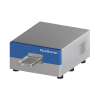 BlueCatBio BlueCombiX Centrifuge and tipless centrifugal washer in one.
The BlueCatBio Blue®CombiX is one of three configurations of BlueCatBio’s Blue®CatX platform. The platform empties plates by centrifugation rather than aspiration: the plate is spun and the liquid leaves the wells without a needle or tip entering them. Blue®FugeX is the centrifuge configuration, Blue®WasherX the washer, and Blue®CombiX — in BlueCatBio’s words — combines centrifugation and evacuation in a single, cost-effective package. Upgrade kits convert one configuration into another.
BlueCatBio positions the CombiX for flow cytometry and 3D cellular assay sample prep on its Blue®Plate, where every spin-down, wash and reagent-addition step happens in the one instrument, and for tipless sample pooling with Blue®Pool. Dispensing from 7 shared and 3 dedicated liquid inputs, and a carousel plate store, are options.
In Revolution, this driver is a scaffold. It registers the instrument so that a system can be configured against it, and nothing more: it opens no connection and sends no command. The rest of this page is precise about where that line falls.
At a glance
Section titled “At a glance”| Type | Plate centrifuge and centrifugal (tipless) plate washer in one instrument |
| Plates, washing | Any SBS plate up to 44 mm tall, 6- to 1536-well and deep-well |
| Plates, centrifugation | Sandwich assays up to 60 mm tall |
| Options | Dispensing (7 shared and 3 dedicated liquid inputs); carousel plate store |
| Instrument automation interface | Standard API, USB and Ethernet, per BlueCatBio |
| Revolution transport | None — the driver opens no connection |
| Revolution control | None. One diagnostic operation that writes to the Revolution log |
Specifications
Section titled “Specifications”BlueCatBio publishes the CombiX’s own figures on the Blue®CatX product page and refers its key specifications to the Blue®FugeX and Blue®WasherX, which the CombiX combines.
| Wash plates | Any SBS format plate up to 44 mm tall (6w – 1536w, deep well) |
| Centrifuge plates | Sandwich assays up to 60 mm tall |
| Centrifuge (Blue®FugeX) | Max 1000 g at 3,000 RPM; acceleration and deceleration 1,000 RPM/s |
| Residual volume (Blue®WasherX) | 0.01 µL to 5 µL per well, depending on evacuation method |
| Outer vs. centre row g-force difference, 96-well (Blue®WasherX) | 6%, against 43% on the original Blue®Washer |
| Dispenser (Blue®WasherX) | CV <±3%; 8 mL dead volume |
| Dispensing option | 7 shared and 3 dedicated liquid inputs |
| Weight | 90–95 kg, depending on dispenser options |
| Automation | Plate load and pick-up by a simple robotic gripper; standard API, USB and Ethernet; automated plate loading available via Blue®Bench |
| Software | PC-based graphical interface with preset methods and a method editor; autonomous mode runs methods from internal memory |
| Safety | Centrifugation shuts off on excessive vibration; sensor-controlled interlocking door |
| Power | 100–240 V, 50/60 Hz, 350 W, auto sensing, 10 A max |
The product page also lists platform-wide dimensions and a 32 kg weight, but they cannot describe the CombiX, which BlueCatBio lists at 90–95 kg, so they are left out here. Confirm the installed footprint with BlueCatBio before planning a bench.
The figure that decides integration is plate height. Washing takes plates up to 44 mm; the centrifuge takes sandwich assemblies up to 60 mm. Labware taller than that does not go in.
Supported methods
Section titled “Supported methods”None that reach the instrument. The driver declares a single operation, Debug, which writes the message it is given to the Revolution device log and does nothing else. Initialising the device writes a log line and likewise talks to no hardware.
In practice that means a schedule cannot start a spin, a wash or a dispense, and cannot read the instrument’s state. Any process that runs while a plate is in the CombiX is started by an operator on the instrument’s own software, not by Revolution — so a schedule that routes a plate through this device and expects a washed or spun plate back is relying on something outside Revolution.
The driver declares no fixed set of locations. Any location a mover uses to place a plate on the CombiX is defined in the system configuration, and Revolution treats it as a plain stop on the plate’s route.
Integration
Section titled “Integration”Revolution reaches the instrument only as a configured device. There is no transport, no vendor software in the path and no process model. BlueCatBio states the platform offers a standard API over USB and Ethernet; the Revolution driver does not use it.
Prerequisites
Section titled “Prerequisites”- Wash, spin and dispense methods must be set up and started on the instrument’s own software. A schedule step cannot start one.
- Plates must be within the published heights: 44 mm for washing, 60 mm for centrifuged sandwich assays.
- Liquid supplies and waste must be set up and running at the instrument. Revolution cannot check them.
- Timing must be arranged by hand. Because Revolution cannot ask the instrument whether it is busy, a schedule cannot wait on a run finishing.
Device configuration
Section titled “Device configuration”| Property | Purpose |
|---|---|
| — | The driver declares no configurable device properties. Only the standard device settings — name and locations — apply. |
If you need more of this instrument driven from a schedule, get in touch — the driver is extended on demand.
Operations
These are available from a Run Device Operation step.
Debug
Writes the given message to the device log and does nothing else. This driver is a scaffold awaiting implementation, so no command reaches the instrument.
| Parameter | Type | Default | Description |
|---|---|---|---|
| message | string | BlueCombiX debug |
Raise Error
Makes this device report a failure on demand: the step fails with an error naming the device, and the operator is offered the usual error recovery choices. No command reaches the instrument and nothing moves, and the failure is raised in simulation as well as on a real system, so this is the step to use when rehearsing how a schedule handles a device failure.